Mailblocks for Loops
Transactional email templates for Loops.
Loops imports custom emails as MJML. The kit's --loops build wraps each compiled template in MJML and replaces values like the name and button URLs with Loops data variables.
- 1
Run
pnpm build --loops— it writesdist/loops/<style>/<template>/index.mjml. - 2
Zip the template folder and upload it in Loops (Transactional → New → Upload MJML).
- 3
Publish, then send with the transactional API and the same variable names.
await fetch("https://app.loops.so/api/v1/transactional", {
  method: "POST",
  headers: {
    Authorization: `Bearer ${process.env.LOOPS_API_KEY}`,
    "Content-Type": "application/json",
  },
  body: JSON.stringify({
    transactionalId: "cm_welcome_clean",
    email: user.email,
    dataVariables: {
      firstName: user.firstName,
      dashboardUrl: "https://fieldnote.app/dashboard",
    },
  }),
});- Variables use Loops'
{DATA_VARIABLE:name}syntax. Loops documents variables insidemj-text; our export places them inmj-raw, so send yourself a test after uploading. - Lists inside templates (receipt line items, digest themes) stay as sample content in the MJML export — edit them in the file or send those emails through your own code.
- Loops recommends its editor for most emails; the MJML route is for teams who want one design system across every sender.
Loops docs: loops.so/docs/creating-emails/uploading-custom-email
Popular with Loops users
Get all 40 — $19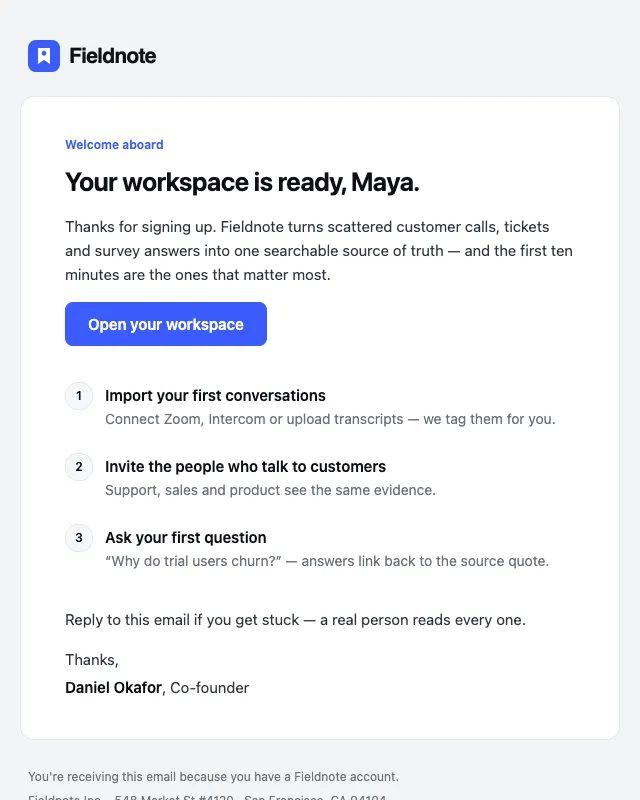 Free
FreeWelcome
№01 · OnboardingA founder-signed welcome with one primary action and a three-step activation checklist.
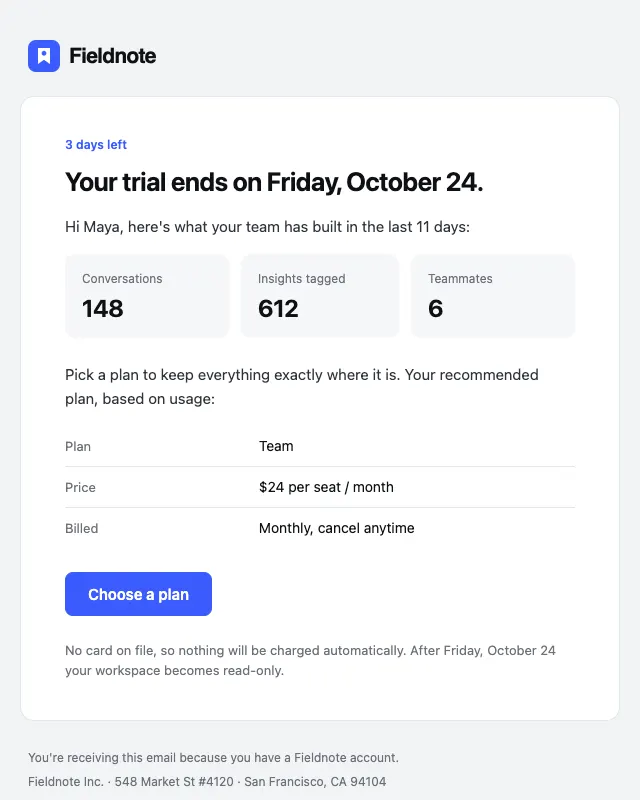
Trial ending
№05 · OnboardingTrial reminder that recaps what the user built and makes the plan choice obvious.
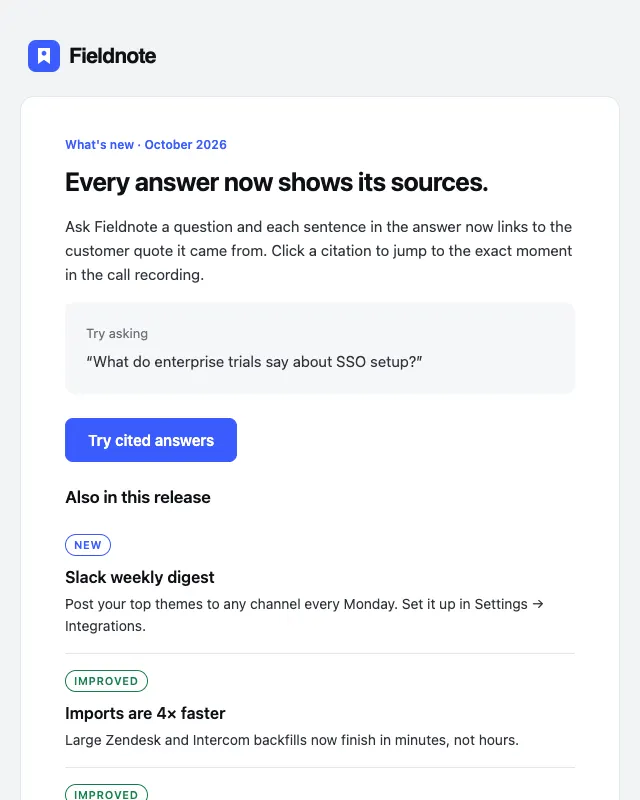
Release notes
№21 · ProductChangelog email with tagged New / Improved / Fixed entries and a feature highlight.
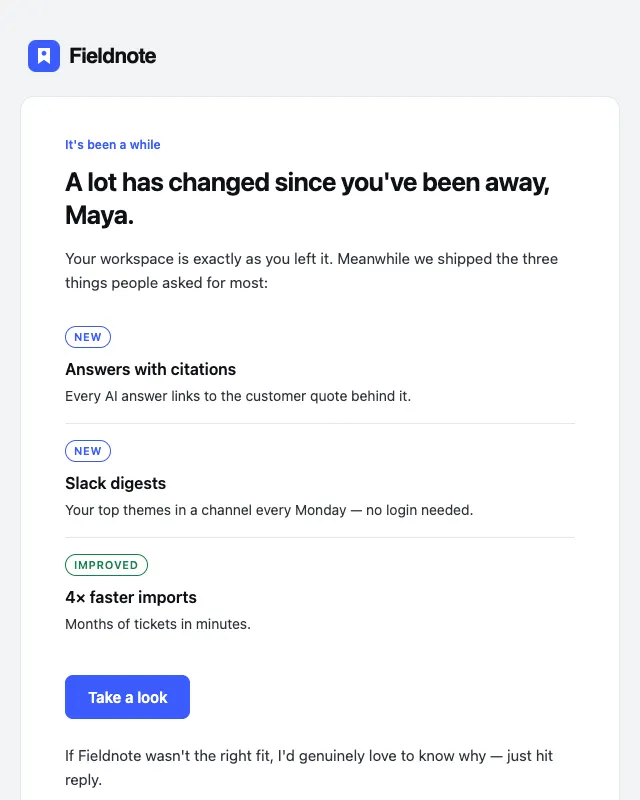
Re-engagement
№24 · ProductWin-back email that leads with what changed and a single reason to return.