Mailblocks for Amazon SES
Email templates for Amazon SES.
SES is the cheapest way to send at scale but gives you no templates of its own. Mailblocks fills that gap: render in your Lambda or server, then hand SES both parts.
- 1
Render HTML and text with
@react-email/render(works in Node 18+ and Lambda). - 2
Send with
SendEmailCommandfrom@aws-sdk/client-sesv2,Simplecontent. - 3
Or upload
dist/HTML as SES templates with{{handlebars}}placeholders forSendBulkEmail.
import { SESv2Client, SendEmailCommand } from "@aws-sdk/client-sesv2";
import { render } from "@react-email/render";
import PasswordReset from "@/emails/password-reset";

const ses = new SESv2Client({ region: "us-east-1" });
const email = <PasswordReset style="clean" firstName={user.firstName} resetUrl={url} />;

await ses.send(new SendEmailCommand({
  FromEmailAddress: "Fieldnote <security@fieldnote.app>",
  Destination: { ToAddresses: [user.email] },
  Content: {
    Simple: {
      Subject: { Data: "Reset your Fieldnote password" },
      Body: {
        Html: { Data: await render(email) },
        Text: { Data: await render(email, { plainText: true }) },
      },
    },
  },
}));- Images use absolute HTTPS URLs from
mailblocks.config.ts— host your logo on S3/CloudFront. - Set up a configuration set for bounce/complaint tracking; templates don't include tracking pixels.
- SES has no plain-text auto-generation, which is why the kit ships one per template.
Amazon SES docs: docs.aws.amazon.com/ses/latest/dg/send-email-api.html
Popular with Amazon SES users
Get all 40 — $19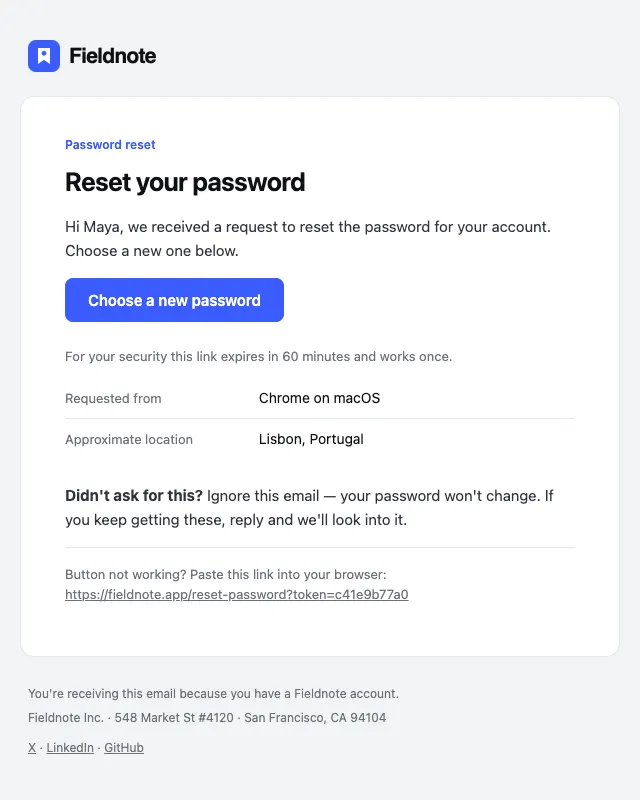 Free
FreePassword reset
№14 · SecurityPassword reset with expiry, request details and a clear didn't-request-this path.
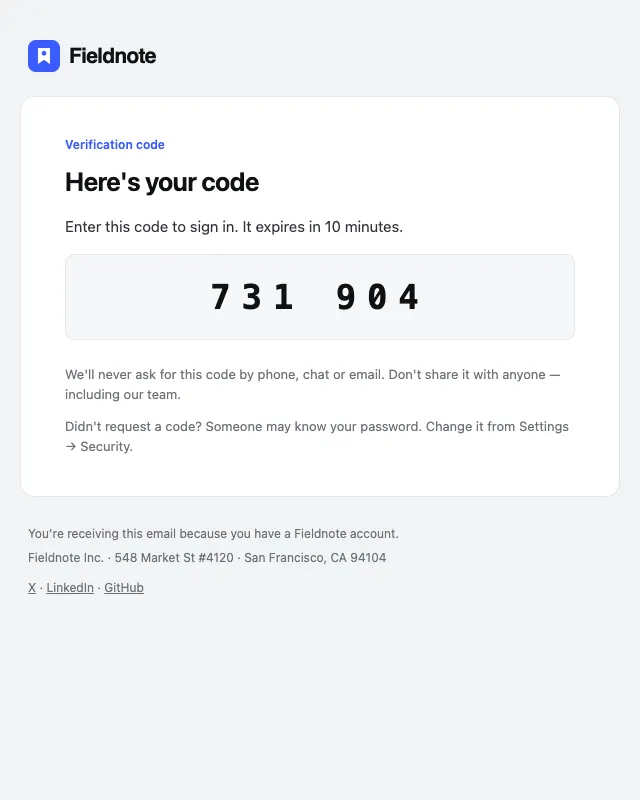
Two-factor code
№16 · SecurityOne-time passcode email with a big, selectable code and expiry.
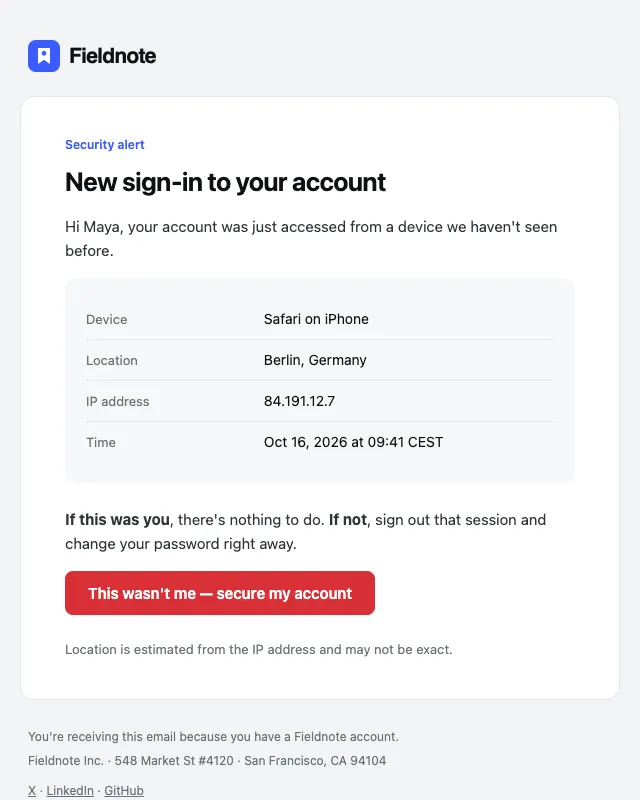
New sign-in alert
№17 · SecuritySecurity alert with device, location, IP and time, plus a secure-my-account action.
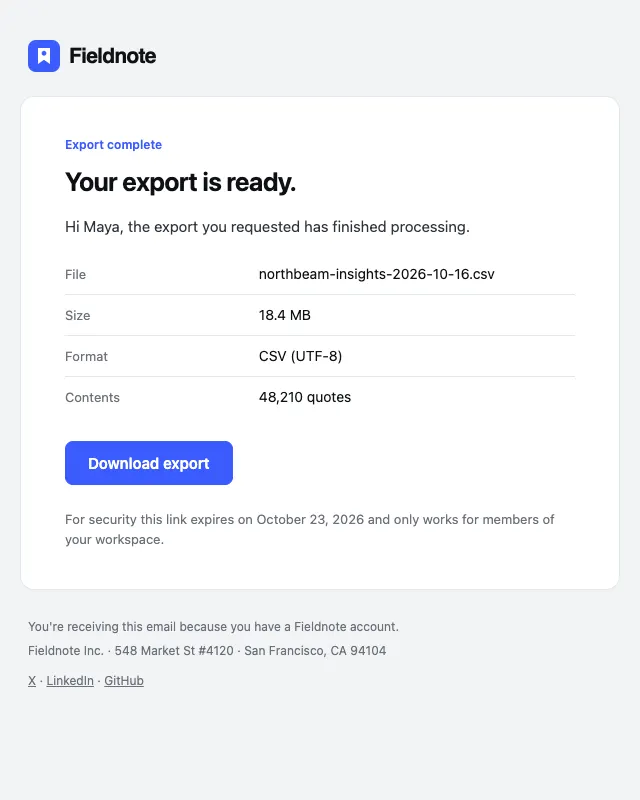
Export ready
№26 · ProductAsync job completion email with file details and an expiring download link.