30 emails · 10 signatures · 3 styles · React Email + HTML + text
The emails your SaaS sends, finished.
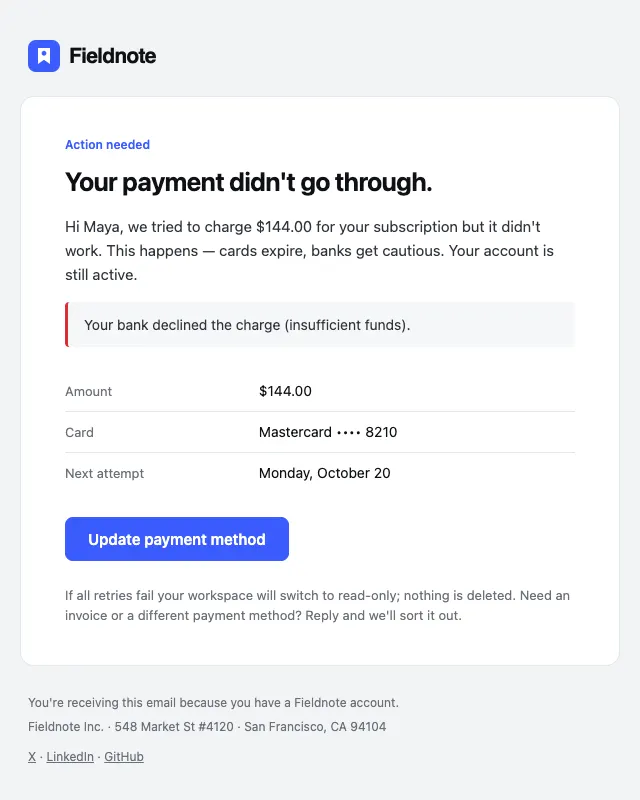
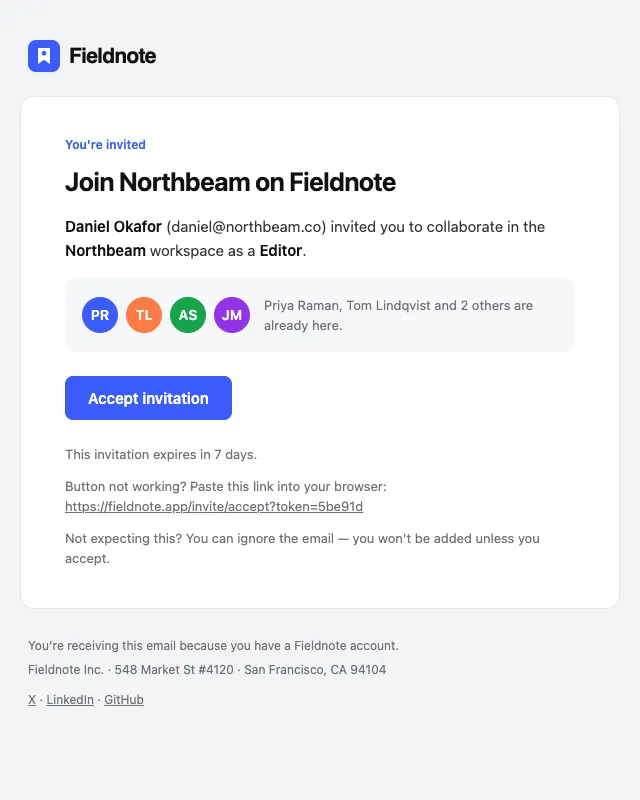
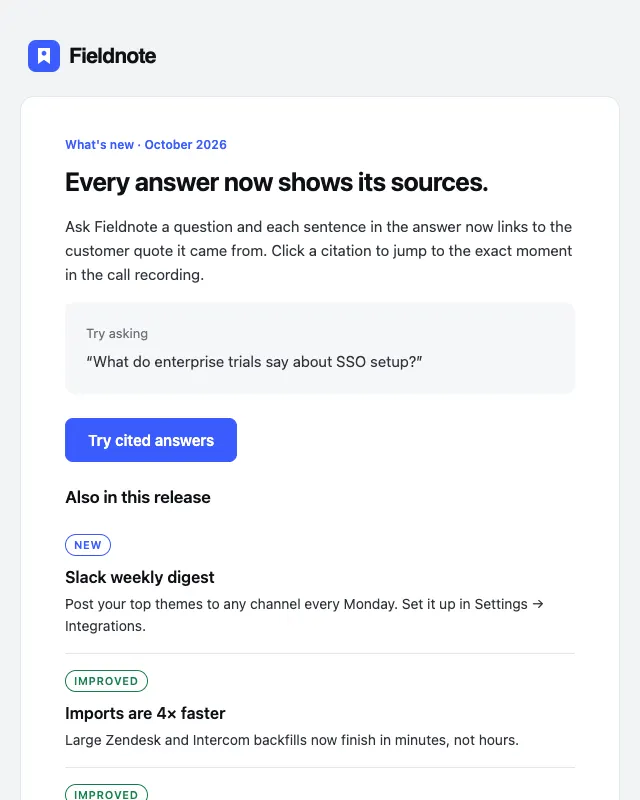
Welcome, receipts, magic links, failed payments, invites, digests — every transactional email a product needs, designed in three styles, built in React Email and compiled to bulletproof HTML and plain text.
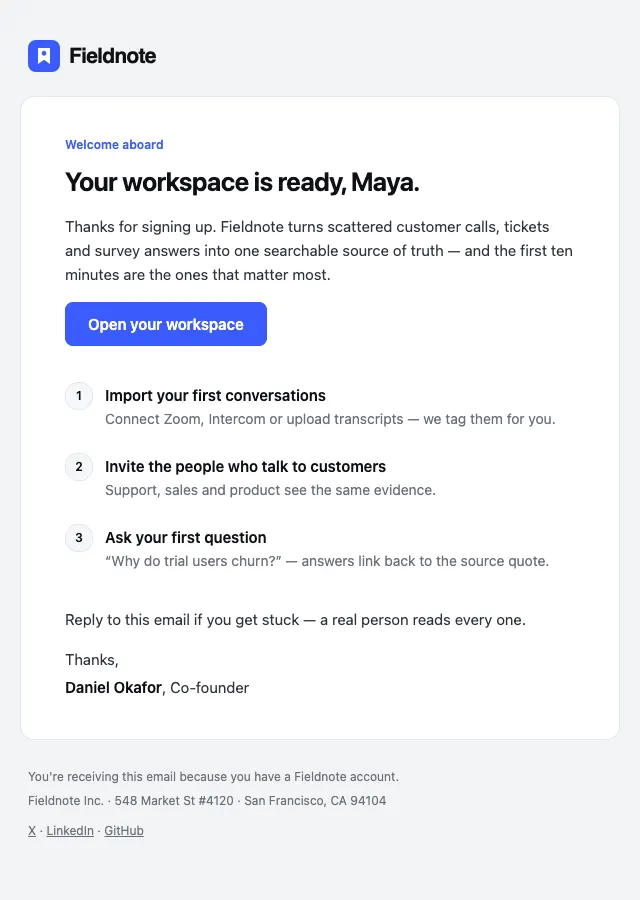
Launch offerLaunch pricing ends SundayYour Fieldnote workspace is ready
Fieldnote<hello@fieldnote.app>
- email templates
- 30
- email templates
- email signatures
- 10
- email signatures
- visual styles
- 3
- visual styles
- formats each
- 3
- formats each
- largest file (Gmail clips at 102K)
- 26.7K
- largest file (Gmail clips at 102K)
The library
Organised by the job the email does.
Six families cover the full lifecycle of a SaaS account — from the first confirmation to the last receipt.
Onboarding
06Welcome, verify, activate and convert trials.
WelcomeFREE · Verify emailFREE · Getting started · Finish setup nudge · Trial ending · Trial ended
Browse →Billing
07Receipts, invoices, dunning and plan changes.
Payment receiptFREE · Invoice · Payment failed · Plan changed · Subscription canceled · Refund issued · Card expiring
Browse →Security
06Sign-in alerts, resets, codes and magic links.
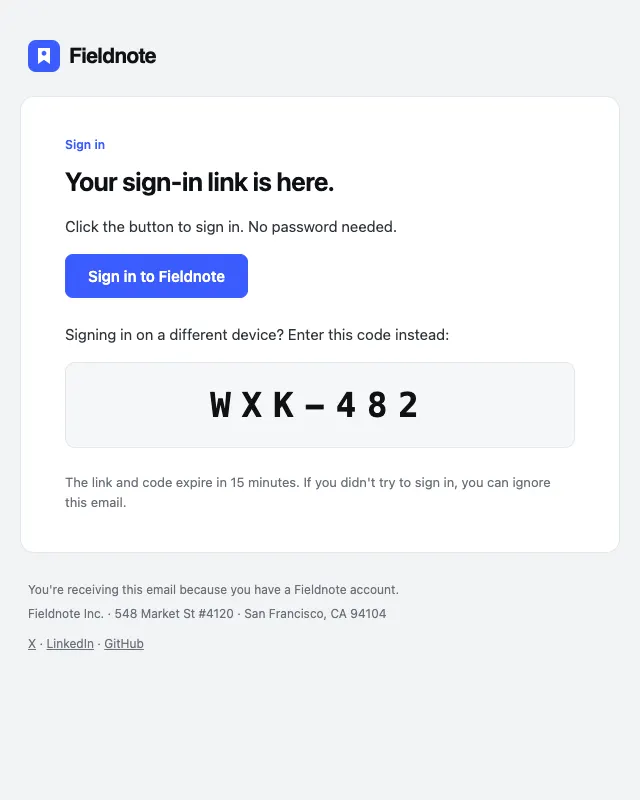
Password resetFREE · Magic link · Two-factor code · New sign-in alert · Password changed · Email address changed
Browse →Product
07Digests, release notes, usage and win-back.
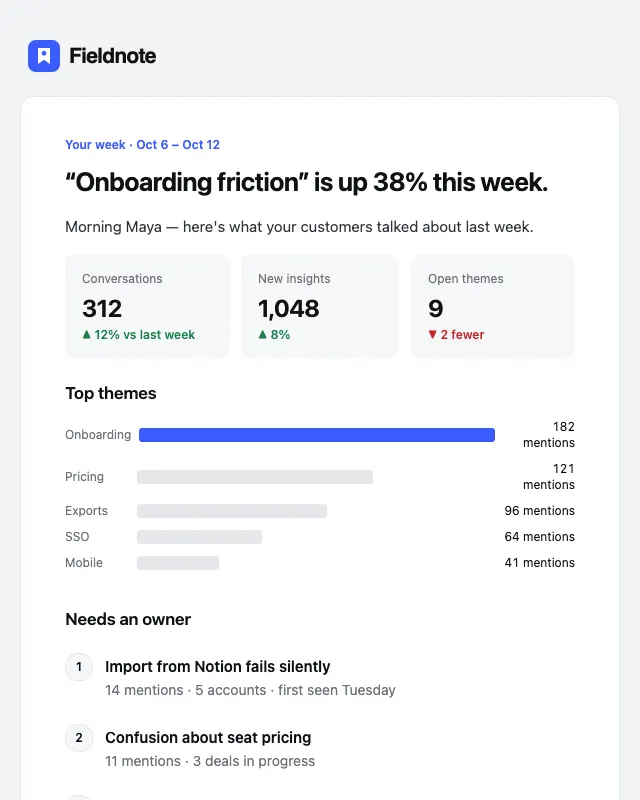
Weekly digest · Release notes · Usage report · Usage limit warning · Re-engagement · Feedback / NPS · Export ready
Browse →Team
04Invites, mentions, roles and access requests.
Team inviteFREE · Mention · Role changed · Access request
Browse →Signatures
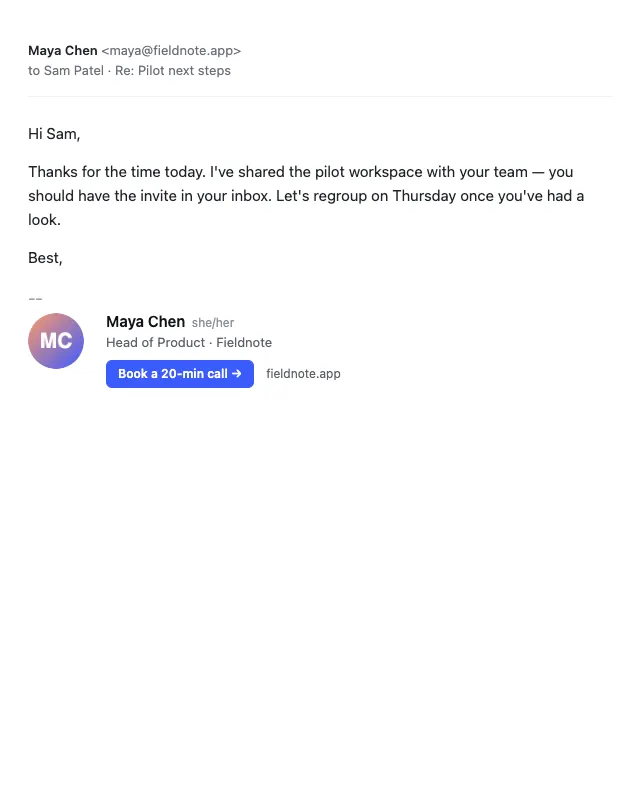
10Ten HTML email signatures for founders and teams.
MinimalFREE · Founder · Stacked logo · Accent bar · One line · With banner · Editorial serif · Dark card · Social row · Legal disclaimer
Browse →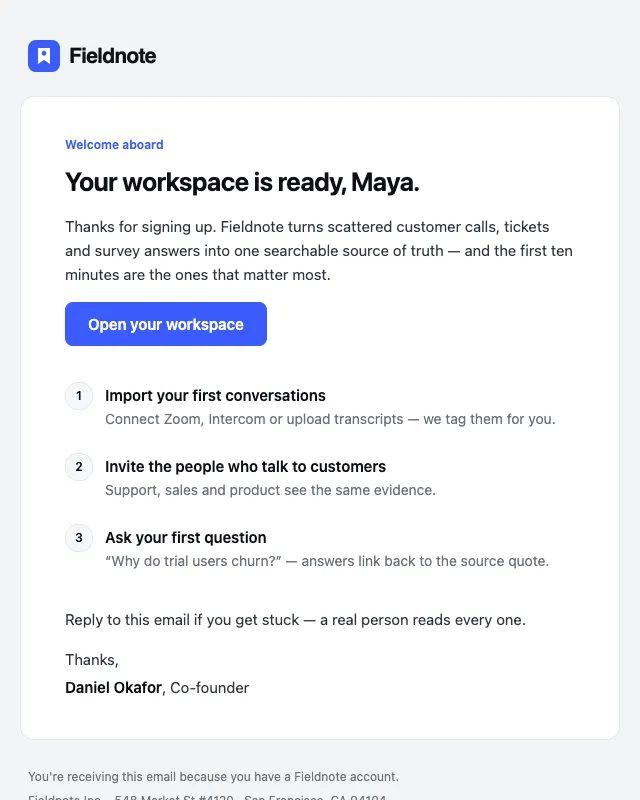
Three formats, one source
Edit in React. Ship anywhere.
Every template is a typed React Email component. One command compiles all of them, in every style, to HTML and plain text with your brand baked in — so it works with any language or sender.
React Email .tsx
Typed props with sample defaults. Preview server included (pnpm dev).
Compiled HTML
Table layout, inline styles, MSO fixes, dark-mode and mobile rules in <head>.
Plain text
Generated from the same source with every link preserved — better deliverability.
mailblocks.config.ts
Logo, colours, name, address, socials. Change once, rebuild in ~20s.
export default function Welcome({
  style = "clean",
  firstName = "Maya",
  dashboardUrl = "https://fieldnote.app/dashboard",
}: WelcomeProps) {
  return (
    <Shell style={style} label="Welcome"
      preview={`Your workspace is ready, ${firstName}.`}>
      <Eyebrow>Welcome aboard</Eyebrow>
      <H1>Your workspace is ready, {firstName}.</H1>
      <P>Thanks for signing up…</P>
      <Btn href={dashboardUrl}>Open your workspace</Btn>
      <Steps items={[/* three activation steps */]} />
      <Signoff name="Daniel Okafor" role="Co-founder" />
    </Shell>
  );
}<!DOCTYPE html PUBLIC "-//W3C//DTD XHTML 1.0 Transitional//EN" …>
<html lang="en" dir="ltr">
<head>
<meta name="color-scheme" content="light dark">
<style>
@media only screen and (max-width:620px){ .mb-pad{padding-left:24px !important} }
@media (prefers-color-scheme: dark){ .mb-card{background-color:#17181C !important} }
[data-ogsc] .mb-text{color:#D5D8DE !important}
</style>
</head>
<body class="mb-page" style="background-color:#F2F3F5;margin:0">
<table role="presentation" width="100%" class="mb-page" …>
<tr><td align="center" class="mb-outer" style="padding:32px 16px 48px">
<table align="center" width="100%" style="max-width:600px">
…
<a href="https://fieldnote.app/dashboard"
style="background-color:#3B5BFD;border-radius:8px;padding:12px 22px…">
<!--[if mso]><i style="mso-text-raise:18px" hidden> …</i><![endif]-->
Open your workspace
</a>Welcome aboard
Your workspace is ready, Maya.
Thanks for signing up. Fieldnote turns scattered customer calls, tickets and
survey answers into one searchable source of truth — and the first ten minutes
are the ones that matter most.
Open your workspace (https://fieldnote.app/dashboard)
1. Import your first conversations (https://fieldnote.app/dashboard/import)
Connect Zoom, Intercom or upload transcripts — we tag them for you.
2. Invite the people who talk to customers (https://fieldnote.app/dashboard/team)
Support, sales and product see the same evidence.
3. Ask your first question (https://fieldnote.app/docs)
“Why do trial users churn?” — answers link back to the source quote.
mailblocks-v1.0.0/
├─ emails/              30 × React Email .tsx
├─ signatures/          10 × .tsx
├─ components.tsx       Shell, Btn, KV, LineItems, Bars, Steps…
├─ theme.ts             clean · editorial · dark
├─ mailblocks.config.ts ← your logo, colours, address
├─ dist/
│  ├─ clean/            30 × .html + .txt
│  ├─ editorial/        30 × .html + .txt
│  ├─ dark/             30 × .html + .txt
│  └─ signatures/       10 × .html + .txt
├─ scripts/build.ts     pnpm build  (--style, --only, --loops)
├─ scripts/check.ts     pnpm check  (QA + Can I Email report)
└─ README.md · LICENSE.md
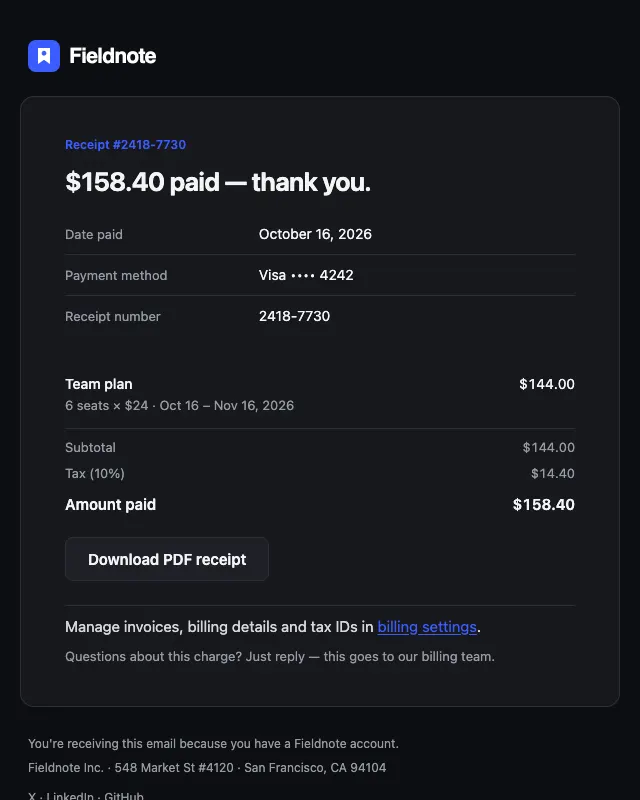
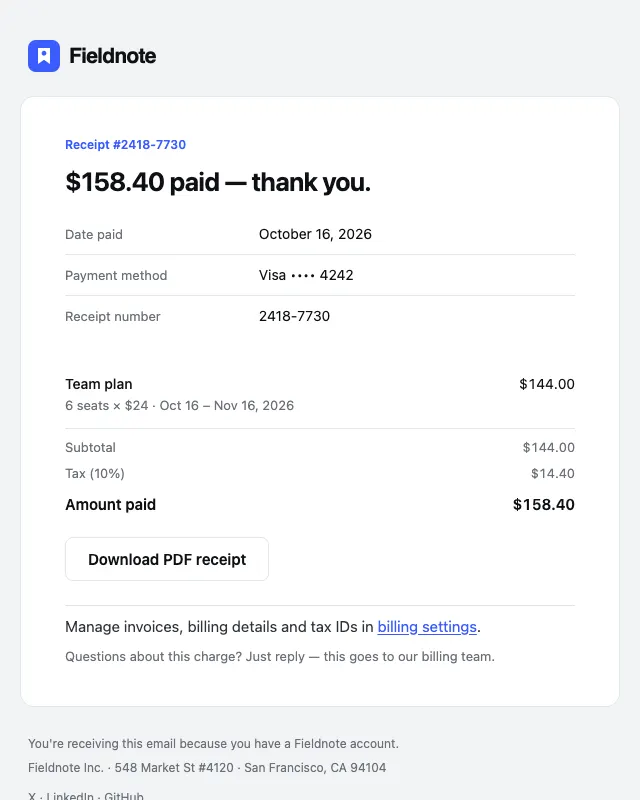
Dark mode, handled
Looks right when the inbox goes dark.
Clean and Editorial ship with dark-mode rules for Apple Mail, Outlook for Mac and iOS, and Outlook.com, including a light-logo swap. Gmail ignores dark-mode CSS and re-tints on its own, so the light palettes are picked to survive it.
- Apple Mail
- prefers-color-scheme
- Outlook.com
- [data-ogsc] overrides
- Outlook Mac / iOS
- prefers-color-scheme
- Gmail
- safe palette, no CSS
Works with your sender
Five lines from template to inbox.
Send with Resend, Postmark, Amazon SES, Loops, SendGrid, Mailgun or plain SMTP. Each guide shows the exact call.
import { Resend } from "resend";
import Welcome from "@/emails/welcome";

const resend = new Resend(process.env.RESEND_API_KEY);

await resend.emails.send({
  from: "Fieldnote <hello@fieldnote.app>",
  to: user.email,
  subject: "Your Fieldnote workspace is ready",
  react: <Welcome style="clean" firstName={user.firstName} />,
});
import { ServerClient } from "postmark";
import { render } from "@react-email/render";
import Receipt from "@/emails/receipt";
const postmark = new ServerClient(process.env.POSTMARK_SERVER_TOKEN!);
const email = <Receipt style="clean" amount="$158.40" receiptNumber="2418-7730" />;
await postmark.sendEmail({
From: "billing@fieldnote.app",
To: customer.email,
Subject: "Your Fieldnote receipt [#2418-7730]",
HtmlBody: await render(email),
TextBody: await render(email, { plainText: true }),
MessageStream: "outbound",
});import { SESv2Client, SendEmailCommand } from "@aws-sdk/client-sesv2";
import { render } from "@react-email/render";
import PasswordReset from "@/emails/password-reset";
const ses = new SESv2Client({ region: "us-east-1" });
const email = <PasswordReset style="clean" firstName={user.firstName} resetUrl={url} />;
await ses.send(new SendEmailCommand({
FromEmailAddress: "Fieldnote <security@fieldnote.app>",
Destination: { ToAddresses: [user.email] },
Content: {
Simple: {
Subject: { Data: "Reset your Fieldnote password" },
Body: {
Html: { Data: await render(email) },
Text: { Data: await render(email, { plainText: true }) },
},
},
},
}));await fetch("https://app.loops.so/api/v1/transactional", {
method: "POST",
headers: {
Authorization: `Bearer ${process.env.LOOPS_API_KEY}`,
"Content-Type": "application/json",
},
body: JSON.stringify({
transactionalId: "cm_welcome_clean",
email: user.email,
dataVariables: {
firstName: user.firstName,
dashboardUrl: "https://fieldnote.app/dashboard",
},
}),
});Pricing
Pay once. Send forever.
No subscription, no per-send fees, no seats to manage. The launch offer runs week by week and resets every Sunday at midnight UTC.
Solo
Launch offerOne-time, no subscription
Launch pricing ends Sunday
For a founder or developer shipping one or more products.
- All 30 email templates × 3 styles
- All 10 email signatures
- React Email .tsx, compiled HTML, plain text
- Brand config + build script + QA check
- Loops MJML exporter
- Lifetime updates to v1.x
- Use in unlimited personal & client projects
One-time payment · instant download · 7-day refund before first download
Team · 5 seats
Launch offerOne-time, no subscription
Launch pricing ends Sunday
For product teams where design, engineering and lifecycle all touch email.
- Everything in Solo
- Licence for 5 people on one team
- Use across all your company's products
- Priority email support
One-time payment · instant download · 7-day refund before first download
Questions
Before you buy
What exactly do I download?
A zip with the React Email source (30 email templates, 10 signatures, the shared components and theme), every template pre-compiled to HTML and plain text in all three styles, the brand config, the build and QA scripts, and a README. About 280 files.
Do I need to use React?
No. The compiled HTML works with any sender or framework — Rails, Laravel, Django, Go, no-code tools. React Email is only needed if you want to change the templates or render them with live data in a JavaScript backend.
How do I put my own logo and colours in?
Edit mailblocks.config.ts (name, logo URL, primary and accent colour, address, social links) and run pnpm build. Every template in every style is regenerated in about 20 seconds.
Are they really tested in Outlook?
Layout is table-based through React Email with MSO button fixes, and every file passes our QA script: under Gmail's 102 KB clipping limit, absolute HTTPS images with alt text, plain-text parity, no unsupported tags, no mobile overflow in Chrome at 375px. The kit includes the script and the Can I Email report. A local script can't run Outlook's Word engine, so the README shows how to do a final check with a real send or Litmus.
What about dark mode?
Clean and Editorial include dark-mode rules for Apple Mail, Outlook for Mac/iOS and Outlook.com, plus a light logo swap. Gmail ignores dark-mode CSS and adjusts colours itself, so the light palettes are chosen to survive its inversion. The Dark style is dark everywhere.
Can I use it for client work?
Yes — personal and client projects, unlimited. You can't resell or redistribute the templates themselves (as a kit, theme or template marketplace item). Full terms on the licence page.
Refunds?
If you haven't downloaded the pack yet, you can get a full refund within 7 days — just reply to your receipt. Because the product is the files, refunds aren't possible after the first download. Try the 6 free templates first.
Do I get updates?
Yes, every 1.x update is free. Your download link keeps working and always serves the latest version; we'll email you when new templates land.
Stop hand-coding tables